
AI Music Video Maker - Rap AI
Mobobi LLCArt & Design
4.5121.00 Reviews
- Version
- 1.6.1
- Installs
- 100.00K
- Age Rating
- Everyone
Screenshots
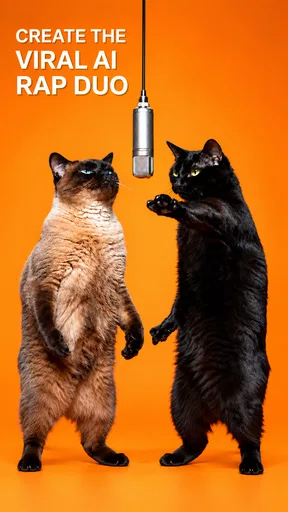
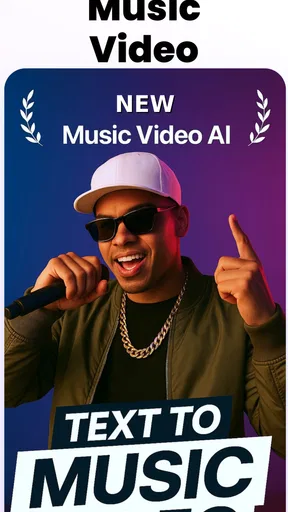
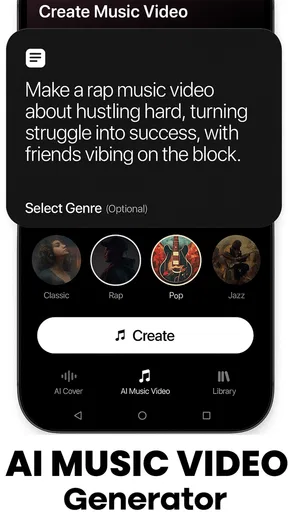
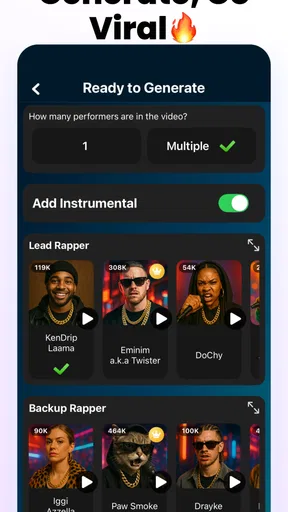
Our Review of AI Music Video Maker - Rap AI
 Analysis by Appyee
I came away from AI Music Video Maker - Rap AI feeling that it is most useful as a fast idea-to-video tool rather than a complete replacement for a traditional editor. It sits in the Art & Design category, but its appeal reaches anyone who wants to turn a lyric, a rough concept, or a piece of audio into something visual without spending an evening learning a complicated timeline. I found the experience especially interesting when I treated it as a creative sketchbook: generate a direction quickly, judge the mood, then refine the parts that matter instead of trying to make every result perfect on the first attempt.
The app is free to install and is suitable for Everyone, which makes it approachable for casual creators, students, musicians, and social-media users. Its developer is Mobobi LLC, and the current release is version 1.6.1 for devices running Android 7.0 or later. The app has reached over one hundred thousand installs and holds a 4.5 average from around six hundred ratings, so it has clearly attracted a meaningful audience without being so established that every rough edge has disappeared.
What the app is really like to use
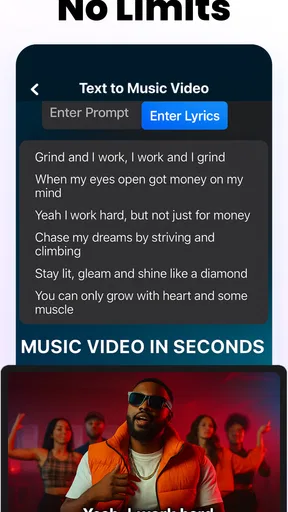
The central idea is simple: start with text, audio, or video and use artificial intelligence to help shape a music-video concept. That sounds broad, and in practice the flexibility is the main attraction. I can imagine beginning with a few lines of a rap verse, adding a visual mood, and using the generated result to decide whether the song feels better with a dark urban atmosphere, something energetic, or a more dramatic presentation. The value is not only the finished clip. It is the speed at which the app helps me see an idea that previously existed only in my head.
That speed changes the creative process. With a conventional mobile editor, I usually need to collect media, trim it, arrange it, add transitions, and make the visuals fit the rhythm before I can judge the overall direction. Here, the first pass can happen much earlier. I can test a concept before investing heavily in it. My strongest recommendation is to use the app for visual exploration first and polishing second. That approach makes its generative nature feel like an advantage instead of a promise that every output will be production-ready.
The text-based workflow is the most distinctive part for people who write songs or scripts. A lyric can provide the emotional starting point, while a short description can guide the atmosphere. The useful trick is to write prompts in terms of subject, movement, lighting, and emotional tone rather than relying on a single broad phrase. “A rap video” gives the app very little direction. A more deliberate description of a performer moving through a tense night setting, with restrained colors and a confident mood, gives the visual concept a clearer identity.
I would also keep prompts focused. Packing a verse, a plot, several characters, multiple locations, and a long list of visual effects into one request can make the result feel unfocused. Shorter creative passes are easier to compare. When one version has the right mood but the wrong visual emphasis, I can change one element rather than rewriting the entire idea and losing track of what helped.
Where audio and video inputs make a difference
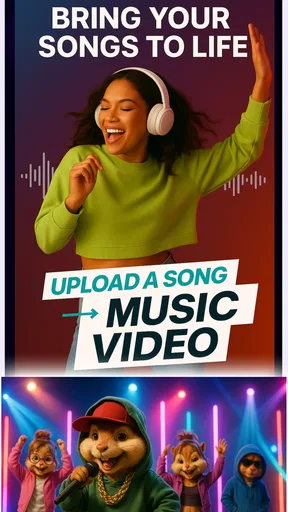
Text is not the only useful entry point. The ability to work from audio or video makes the app more practical for people who already have material on their phone. A musician with a demo can approach the app differently from someone starting with a lyric. Instead of asking only, “What should this song look like?”, the musician can think about which visual moments should support the energy of the recording and which should provide contrast.
For an everyday example, imagine recording a short chorus during a commute and wanting to share the idea with friends that evening. A normal editing workflow might encourage you to wait until you have better footage. This app gives you a way to create a visual interpretation while the idea is still fresh. The result may be a concept piece rather than a final music video, but that can be enough to communicate the direction of the song and receive useful feedback.
Video input is valuable for a different reason. Existing footage can provide a visual anchor, while the AI treatment can help turn ordinary clips into something more stylized. I would not approach this as a substitute for careful manual editing when continuity matters. Instead, I see it as a way to experiment with footage that would otherwise remain unused. A few overlooked clips from a rehearsal, a walk, or a small performance can become material for a visual draft.
One practical workflow is to separate the creative decisions into stages. First, decide what the song is about. Next, choose whether the visuals should illustrate the words directly or express their mood more loosely. Then generate a few directions and select the one with the clearest identity. Only after that would I spend time preparing a version to share. This prevents a common mistake with AI tools: polishing a result before deciding whether the underlying idea is worth keeping.
The role of drama from a simple idea
The app’s emphasis on drama from text, audio, and video makes it more than a basic slideshow maker. It is aimed at turning a source idea into a scene or atmosphere. That is particularly suitable for rap, where the visual identity can be as important as literal storytelling. A strong clip may come from attitude, rhythm, contrast, and setting rather than from a straightforward sequence of events.
Still, I would keep expectations realistic. Generated visuals can be persuasive as mood pieces while remaining less dependable for precise storytelling. If a character must hold the same object across several moments, or if a specific action has to happen in an exact order, I would prefer a conventional editor or a more controlled production tool. The app is better when I allow some interpretation and judge the overall feeling instead of demanding frame-by-frame obedience.
This is also where the app can help beginners. Someone who has never planned a music video may not know how to translate a lyric into images. Seeing an automated interpretation can reveal possibilities: perhaps a line works better as a close emotional moment, a wide environmental shot, or a sudden change in visual energy. Even when I do not keep the generated version, it can act as a reference board for a more deliberate project.
How it compares with ordinary mobile editors
Traditional mobile video editors remain better when I need exact control. They are usually the safer choice for arranging known clips, matching cuts to a beat, placing text at precise moments, and maintaining continuity between shots. Their learning curve can be higher, but their behavior is easier to predict. If my priority is accuracy, I would begin there.
AI Music Video Maker - Rap AI has a different strength. It reduces the distance between a vague concept and a visible draft. Instead of asking me to supply all the creative material first, it helps generate a direction from a smaller starting point. That makes it more playful and more useful at the beginning of a project. The trade-off is control: the quicker the app helps create a concept, the more likely I am to need judgment and revision afterward.
It also differs from a standard music player or a simple photo-video maker because the focus is not merely combining files. The app is intended to interpret creative input. That distinction matters for users who want an original visual identity rather than a sequence of personal photographs with background music. On the other hand, someone who only needs a clean slideshow, a family montage, or a precisely edited promotional clip may find a conventional tool more efficient.
What requires patience
The biggest limitation is the gap between an appealing concept and a consistently polished result. AI-generated media can be exciting because it produces unexpected combinations, but those surprises are not always helpful. A visual may capture the mood while missing the intended subject, or it may look impressive in isolation without fitting the song as a whole. I would expect to review several attempts and choose selectively rather than treating the first generation as final.
That process can also make creative control feel indirect. In a normal editor, I know which clip I am moving and what will happen when I shorten it. With an AI workflow, the result depends more on how clearly I describe the idea and how the system interprets it. This is not a flaw unique to this app, but it is important for anyone who prefers predictable tools. If I need a guaranteed visual outcome for a deadline, I would keep a manual editing option available.
Another point to consider is the app’s payment model. It is free, but in-app purchases range from $2.99 to $19.99 per item. That means I can explore the basic experience without paying immediately, yet a frequent creator should think about how often the paid options may become part of the workflow. I would start with a small personal test: make a few different concepts, decide whether the output genuinely saves time, and only then consider spending money. The right value depends on whether the app is helping me create faster or merely encouraging more experiments.
The release date is February 13, 2026, so the app is relatively new in its current form. That can be positive because the experience feels focused on a modern AI-media workflow, but it also means I would approach it as an evolving creative product rather than a mature studio replacement. Keeping project expectations flexible is sensible, especially when the goal is experimentation rather than a tightly controlled commercial deliverable.
Who will get the most from it
I think the best audience is made up of people who have ideas but lack footage, editing confidence, or time. Independent rappers can use it to visualize a new track before arranging a shoot. Songwriters can test whether their lyrics suggest a strong visual world. Content creators can produce concept clips when they want something more distinctive than a standard template. Students can use it to explore how sound and imagery influence one another without needing advanced production equipment.
It is also a good fit for someone who enjoys iteration. If I like trying three moods for the same chorus, comparing visual directions, and keeping the most convincing version, the app feels productive. Its creative advantage appears when I treat each generation as information. One attempt may show that the song needs darker imagery; another may reveal that a literal interpretation is weaker than an abstract one.
I would recommend skipping it, or at least pairing it with another editor, if exact timing and repeatable continuity are essential. Professional videographers, agencies working from strict storyboards, and users who need detailed manual adjustments may become frustrated by an AI-first process. The same applies to anyone who wants a simple, predictable slideshow. In those cases, a conventional timeline editor is likely to be the better starting point.
Tips for getting a more usable result
My first tip is to write for the visual result, not just for the song. Lyrics can be emotionally strong but visually open-ended. Add information about the setting, the pace, the atmosphere, and whether the scene should feel intimate or expansive. This gives the app more to work with while leaving room for interpretation.
Second, create a small visual vocabulary for the whole project. Repeating a mood, a color family, or a type of setting can make separate generations feel more related. I would not overload every prompt with the same long description, but I would keep a short core idea and change only the scene-specific details. That makes comparisons more meaningful and can help prevent the video from feeling like unrelated experiments.
Third, use the app before recording expensive footage. A generated concept can expose weak ideas early. If the chorus produces a compelling visual direction but the verse feels empty, that is useful information before arranging a shoot. This is one of the less obvious ways to save time: the app is not only a production tool; it can function as a planning tool.
Finally, judge the result with the audio turned on and off. With sound, a visual may feel stronger because the music supplies energy. Without sound, weaknesses in composition or continuity become easier to notice. I would use both checks before sharing a finished clip, particularly if the video is meant to represent an artist rather than simply entertain friends.
My final recommendation
After looking at the app as both a creator and a practical phone user, I see a clear purpose: it is a quick way to turn musical or written ideas into visual experiments. It is not the tool I would choose for every stage of a serious production, but it can make the earliest stage much more active. Instead of waiting until I have perfect footage, I can explore the identity of a song now and decide what deserves further work.
The free entry point, Everyone age rating, broad input approach, and focus on AI-generated music-video concepts make it easy to recommend for curious beginners and independent creators. The 4.5 average from roughly six hundred ratings also suggests that many users find the experience worthwhile. I would simply balance that appeal against the need for selection, patience, and possible in-app spending.
My verdict is positive with a specific condition: choose AI Music Video Maker - Rap AI when you want fast visual ideas, dramatic interpretation, and a low-friction starting point. Choose a traditional editor when precision, continuity, and complete manual control matter more than discovery. Used in the right role, Mobobi LLC’s app can turn a rough lyric or demo into a useful creative direction—and sometimes that first visible spark is exactly what a song needs.
Verdict
Strengths of AI Music Video Maker - Rap AI
- Creates music videos quickly from simple text or song prompts.
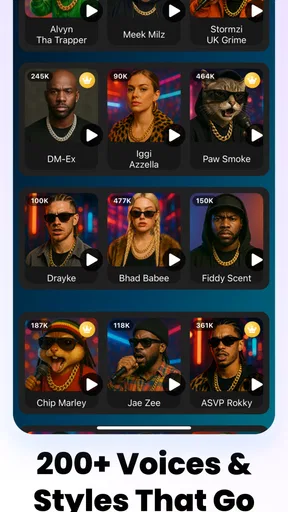
- AI-generated visuals can match rap, hip-hop, and urban music styles.
- Useful templates help beginners produce polished-looking clips.
- Supports creative experimentation without filming or editing equipment.
- Convenient for sharing short music content on social media.
Limitations of AI Music Video Maker - Rap AI
- Results may look repetitive when using popular templates or similar prompts.
- Advanced customization can be limited compared with professional video editors.
- AI visuals may occasionally mismatch the lyrics, rhythm, or intended mood.
- Export quality, resolution, or watermark options may depend on the plan.
- Generating longer or more detailed videos can take noticeable processing time.
Similar Picks in This Category
View All
Canva: AI Photo & Video Editor
Canva4.8

PENUP – Drawing-sharing SNS
Samsung Electronics Co., Ltd.4.5

Crafto
Kutumb App4.6

Sketchbook
Sketchbook4.1

ibis Paint X
ibis inc.4.5

Adobe Express: AI Photo, Video
Adobe4.6
Frequently Asked Questions
What is AI Music Video Maker - Rap AI, and what can I use it for?
AI Music Video Maker - Rap AI is designed to help users create rap-inspired music videos with artificial intelligence. You can typically combine lyrics, music, visual effects, images, and video elements to produce short, shareable clips without advanced editing skills. It is useful for experimenting with rap concepts, creating social media content, or turning an original idea into a visual presentation.
Do I need musical or video-editing experience to use the app?
No advanced experience is usually required. The app focuses on simplifying the creative process through templates, automated effects, and guided tools. Beginners can start by entering lyrics or selecting available options, then adjust the result with basic controls. However, achieving a polished video may still require some experimentation with timing, text placement, music selection, and visual style.
Is AI Music Video Maker - Rap AI free to download and use?
The application may be available to download at no initial cost, but some features can be restricted by premium plans, in-app purchases, advertisements, or usage limits. Before creating a final project, check the current store listing and the app’s subscription screen carefully. Pay particular attention to trial periods, renewal terms, export limitations, and whether premium effects or higher-quality downloads require payment.
Can I use my own lyrics, music, photos, or video clips in a project?
Depending on the current version, the app may allow users to add personal lyrics and selected media alongside its AI-powered creation tools. Import options and supported formats can vary between Android and iOS. You should also make sure you own the rights to any music, images, footage, or lyrics you upload, especially if you plan to publish the finished video commercially or on social platforms.
Does the app export videos without a watermark, and where can I share them?
Export quality, resolution, duration, and watermark rules depend on the version of the app and the account or plan you use. Free projects may include branding, advertisements, or limited export options, while premium access may provide cleaner or higher-quality results. Once exported, videos can generally be saved to the device and shared through compatible social media, messaging, or video platforms.
